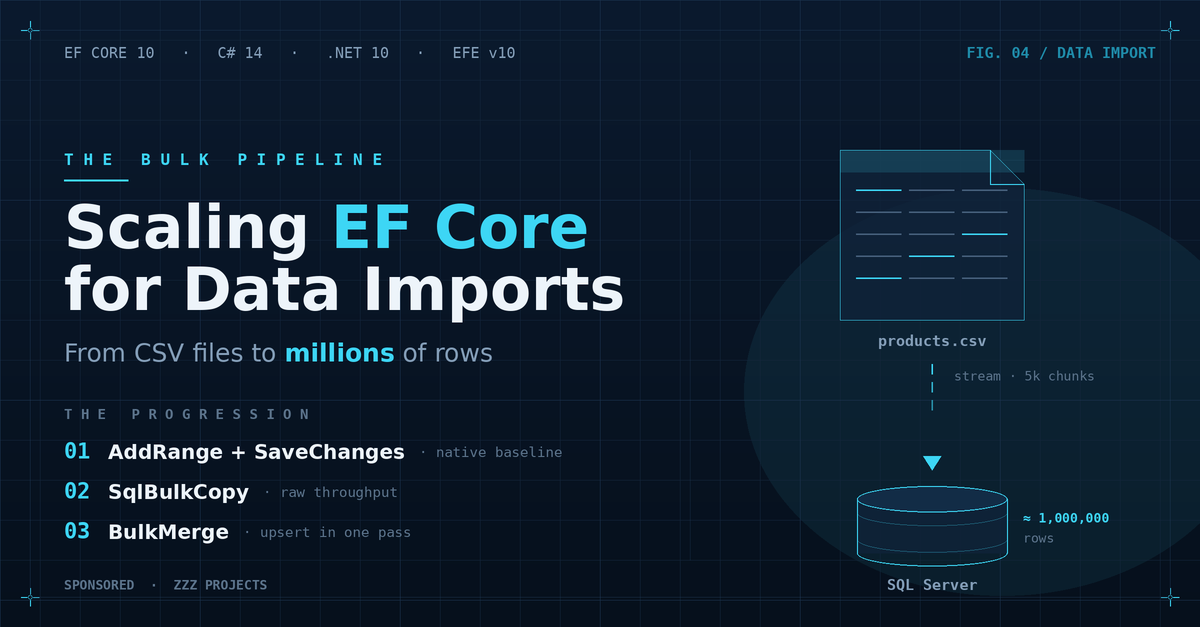
Scaling EF Core for Data Imports: From CSV Files to Millions of Database Rows
- Chris Woodruff
- June 23, 2026
- Entity Framework Core
- .NET, C#, Data, databases, dotnet, Entity Framework Core, programming
- 0 Comments

The Import Job Nobody Wants to Own
Every team has one. It might be called an import service, a feed processor, or a sync job. The name varies. What stays constant is the shape of the problem: a large file arrives on schedule, and someone needs to get its contents into a database accurately, quickly, and without duplicating data already imported the last time the job ran.
The file is usually a CSV. The destination is usually a SQL Server database backed by an EF Core application. And the code that runs the import was written by someone who has since left the company, handles 10,000 rows in seven minutes, and becomes the subject of an incident ticket whenever the supplier doubles the file size.
This post works through a real import pipeline from start to finish. The scenario is a supplier product catalog: 500,000 rows, 15 columns, delivered nightly. Some rows are new. Some are updates to existing products. Some are identical to what is already in the database. The job runs every night and needs to finish in under five minutes.
By the end, you will have a production-appropriate pipeline with concrete benchmark numbers to back the design choices.
Before You Touch the Database, Parse the File Correctly
Most import tutorials start with a clean List<T> already in memory. That is where the problems begin, because parsing is where the real friction lives.
Use CsvHelper and a Dedicated DTO
CsvHelper is the standard for .NET CSV parsing. The first design decision is to map the CSV to a dedicated data transfer object, not directly to the EF Core entity. This matters more than most developers realise.
Supplier CSV column names rarely match your entity property names. Value formats differ. Dates arrive as dd/MM/yyyy. Prices arrive as strings with commas. Nullable fields arrive as empty strings, not null. When you map directly to the EF Core entity, every one of these mismatches becomes a runtime failure or a silent data corruption.
A ProductImportRow DTO models the CSV shape exactly:

public class ProductImportRow

{

    public string Sku { get; set; }

    public string Name { get; set; }

    public string Description { get; set; }

    public string PriceRaw { get; set; }              // e.g. "1,234.56" - cleaned during mapping

    public string LastSupplierUpdateRaw { get; set; } // e.g. "15/03/2025" - parsed during mapping

    public string SupplierCode { get; set; }

    public string CategoryCode { get; set; }

    public string WeightKg { get; set; }

    public string IsAvailableFlag { get; set; }       // "Y" or "N"

}

The CsvHelper ClassMap handles column-to-property name translation and type conversion in one place:

public class ProductImportRowMap : ClassMap<ProductImportRow>

{

    public ProductImportRowMap()

    {

        Map(m => m.Sku).Name("SUPPLIER_SKU");

        Map(m => m.Name).Name("PRODUCT_NAME");

        Map(m => m.PriceRaw).Name("LIST_PRICE_GBP");

        Map(m => m.LastSupplierUpdateRaw).Name("LAST_MODIFIED");

        // ... remaining column mappings

    }

}
The entity mapping layer converts ProductImportRow to Product with validated, typed values. Keep the two concerns separate.
Stream in Chunks, Not All at Once
GetRecords<T>() in CsvHelper returns IEnumerable<T> and reads lazily. The file stays out of memory as long as you avoid calling .ToList() on the full result.
Do not call .ToList() on the full file. Process in chunks of 5,000 rows. Read a chunk, process it, commit it, discard it, and move to the next. This keeps memory consumption constant regardless of file size.
private static async IAsyncEnumerable<List<ProductImportRow>> ReadCsvInChunksAsync(

    string filePath, int chunkSize = 5_000)

{

    using var reader = new StreamReader(filePath, detectEncodingFromByteOrderMarks: true);

    using var csv = new CsvReader(reader, CultureInfo.InvariantCulture);

    csv.Context.RegisterClassMap<ProductImportRowMap>();

    var chunk = new List<ProductImportRow>(chunkSize);

    await foreach (var record in csv.GetRecordsAsync<ProductImportRow>())

    {

        chunk.Add(record);

        if (chunk.Count == chunkSize)

        {

            yield return chunk;

            chunk = new List<ProductImportRow>(chunkSize);

        }

    }

    if (chunk.Count > 0) yield return chunk;

}
The Naive Implementations, and Where Each One Fails
The progression from first attempt to production-appropriate code is predictable. Here are the three stages most developers go through, and the ceiling each one hits.
Failure Mode 1: Add-in-a-Loop
foreach (var row in csvRows)

{

    var product = MapToEntity(row);

    context.Products.Add(product);

    await context.SaveChangesAsync();  // one INSERT per row, one round-trip per INSERT

}
DetectChanges() fires on every Add(). One round-trip per entity. At 500,000 rows, this runs for hours. This is where every tutorial starts, and it should be where it ends. At any meaningful volume, this code belongs in a code review comment, not in production.
Failure Mode 2: AddRange with a Single SaveChanges on the Full File
var products = csvRows.Select(MapToEntity).ToList();  // 500K objects in memory

context.Products.AddRange(products);

await context.SaveChangesAsync();
EF Core 10 batches the generated INSERT statements up to 1,000 rows per batch. The round-trip problem is solved. The memory problem is not. At 500,000 moderately complex entities, the change tracker holds multi-gigabyte allocations before a single INSERT executes.
The second problem is the one that will haunt the next person who maintains this code: it is unconditional. Run it twice and you duplicate every row.
Failure Mode 3: Chunked AddRange (The Good, the Incomplete)
foreach (var chunk in csvRows.Chunk(5_000))

{

    var products = chunk.Select(MapToEntity).ToList();

    context.Products.AddRange(products);

    await context.SaveChangesAsync();

    context.ChangeTracker.Clear();

}
Memory is handled. Batching works within each chunk. This is the correct starting point for an initial load into an empty table.
Still, it is unconditional. Re-run it the next night, and it inserts duplicates. The moment the business requirement is ‘apply this file nightly and keep the database in sync,’ chunked AddRange stops being the right tool.
The Upsert Problem That Native EF Core Cannot Solve
Night one: the table is empty. Chunked AddRange works. Night two: 480,000 of the 500,000 rows already exist. The other 20,000 are new products. Some of the existing products have changed. The obvious fix is to check first and then insert or update.
The Manual Check-Then-Insert-or-Update Pattern
foreach (var chunk in csvRows.Chunk(5_000))

{

    var skus = chunk.Select(r => r.Sku).ToList();

    var existing = await context.Products

        .Where(p => skus.Contains(p.Sku))

        .ToDictionaryAsync(p => p.Sku);

    foreach (var row in chunk)

    {

        if (existing.TryGetValue(row.Sku, out var product))

            UpdateEntity(product, row);

        else

            context.Products.Add(MapToEntity(row));

    }

    await context.SaveChangesAsync();

    context.ChangeTracker.Clear();

}
This pattern has four compounding costs:
- One SELECT per chunk. At 5,000-row chunks, a 500,000-row file issues 100 SELECT statements before a single INSERT or UPDATE executes.
- The .Contains() parameter limit. SQL Server caps a single command at 2,100 parameters. EF Core 10 changed the default Contains() translation to one scalar parameter per item, so a 5,000-item list generates roughly 5,000 parameters and the query throws once it crosses the 2,100 ceiling. (EF Core 8 and 9 defaulted to an OPENJSON single-parameter translation that stayed under the limit but produced weaker query plans.) A Contains() over a chunk this size is the wrong tool either way; chunk the list or use WhereBulkContains from EFE.
- Full entity materialisation. The SELECT loads complete entities even when you plan to update only 3 of 15 columns. Every tracked property occupies memory in the change tracker.
- Change tracker overhead at scale. Every loaded entity goes through DetectChanges(). At 100 chunks of 5,000 each, this adds up to substantial CPU time on complex entity graphs.
What EF Core 10 Provides and Where It Stops
EF Core 10’s ExecuteUpdate handles set-based updates: apply the same transformation to every matching row in one SQL statement. That covers ‘mark all products in category X as discontinued.’ It does not cover ‘update each of these 5,000 products with the specific values from the CSV row that matches its SKU.’ Per-row upsert with custom business key matching and selective column writes is not a problem ExecuteUpdate can solve.
That gap is exactly what BulkMerge fills.
BulkMerge from Entity Framework Extensions
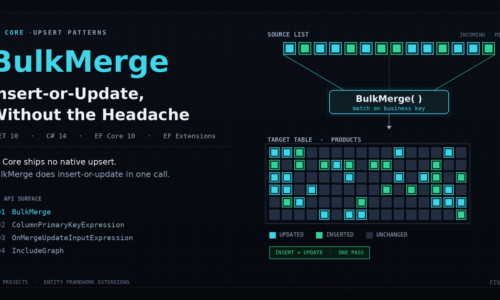
Entity Framework Extensions (EFE) from ZZZ Projects ships a BulkMerge method that executes a server-side MERGE statement per chunk. No SELECT round-trips. No change tracker overhead. The merge logic runs entirely inside the database.
The baseline call is straightforward:
await context.BulkMergeAsync(products);
By default, EFE uses the entity’s configured primary key as the merge key. Rows where the key exists in the target table are updated. Rows where it does not exist are inserted. That is the happy path. The supplier catalogue scenario requires three additional options.
ColumnPrimaryKeyExpression: Matching on a Business Key
The supplier CSV carries a Sku column. The database Product.Id is an auto-increment integer that the supplier does not know about and does not include in the file. Matching on the database primary key is not possible.
await context.BulkMergeAsync(products, options =>

{

    options.ColumnPrimaryKeyExpression = p => p.Sku;

});
EFE uses Sku as the merge key. New SKUs get inserted with a database-generated Id. Existing SKUs are updated. The CSV never needs to carry database-generated keys, which keeps the supplier integration clean.
ColumnInputExpression: Writing Only What the CSV Provides
The Product entity has 15 properties. The CSV provides 10 of them. The remaining five — CreatedAt, CreatedBy, InternalCategory, InventoryCount, IsActive — are managed by the application and must not be overwritten by an import job.
await context.BulkMergeAsync(products, options =>

{

    options.ColumnPrimaryKeyExpression = p => p.Sku;

    options.ColumnInputExpression = p => new

    {

        p.Sku,

        p.Name,

        p.Description,

        p.Price,

        p.SupplierCode,

        p.Category,

        p.Weight,

        p.IsAvailable,

        p.LastSupplierUpdate

    };

});
Only the listed columns are written during both INSERT and UPDATE operations. Application-managed columns are left untouched on update. On INSERT, unlisted columns receive their database or EF Core defaults.
MergeMatchedAndFormula: Conditional Updates
The supplier re-sends unchanged rows in every nightly file. Without a staleness check, every existing product gets an UPDATE that writes the same values it already has. At 480,000 existing rows, that is 480,000 unnecessary writes per night.
await context.BulkMergeAsync(products, options =>

{

    options.ColumnPrimaryKeyExpression = p => p.Sku;

    options.ColumnInputExpression = p => new

    {

        p.Sku, p.Name, p.Description, p.Price,

        p.SupplierCode, p.Category, p.Weight,

        p.IsAvailable, p.LastSupplierUpdate

    };

    options.MergeMatchedAndFormula =

        "StagingTable.LastSupplierUpdate > DestinationTable.LastSupplierUpdate";

});
StagingTable refers to the incoming source rows; DestinationTable refers to the rows already in the database. EFE injects the formula straight into the matched condition of the MERGE statement, so the staleness check runs in the database and no rows are loaded into memory for comparison. Treat the formula as raw SQL: keep full control over its contents and never build it from user input, to avoid SQL injection.
The Full Pipeline
await foreach (var chunk in ReadCsvInChunksAsync(filePath, chunkSize: 5_000))

{

    var products = chunk

        .Where(IsValid)

        .Select(MapToEntity)

        .ToList();

    await context.BulkMergeAsync(products, options =>

    {

        options.ColumnPrimaryKeyExpression = p => p.Sku;

        options.ColumnInputExpression = p => new

        {

            p.Sku, p.Name, p.Description, p.Price,

            p.SupplierCode, p.Category, p.Weight,

            p.IsAvailable, p.LastSupplierUpdate

        };

        options.MergeMatchedAndFormula =

            "StagingTable.LastSupplierUpdate > DestinationTable.LastSupplierUpdate";

    });

}
No SELECT per chunk. No change tracker. Each chunk produces one MERGE statement. The same file can run every night without producing duplicates, overwriting application-managed data, or updating rows that have not changed.
Licensing: BulkMerge is part of EFE’s paid library. A rolling monthly free trial is available at entityframework-extensions.net. For teams running import pipelines at this scale on a regular schedule, the library removes a category of boilerplate that is difficult to test, slow to maintain, and easy to get wrong.
Benchmark Results
All benchmarks use BenchmarkDotNet 0.14 on .NET 10 against SQL Server. Mean execution time across five iterations after two warm-up rounds. Managed allocations reported via MemoryDiagnoser. Test entity: 15-property Product with string, decimal, DateTime, and nullable fields. Document your test environment before publishing; LocalDB results will differ substantially from a dedicated SQL Server instance.
Initial Load (Empty Target Table)
| Row Count | Chunked AddRange | BulkInsert (EFE) | BulkMerge (EFE) |
| 10K | 895.3 ms | 264.8 ms | 259.8 ms |
| 50K | 4,190.9 ms | 1,086.5 ms | 1,228.5 ms |
| 100K | 7,704.8 ms | 1,941.2 ms | 2,633.0 ms |
| 500K | 43,086.3 ms | 8,408.9 ms | 15,077.3 ms |
Re-Run Scenario (Table 90% Populated)
| Row Count | Manual Check-Then-Upsert | BulkMerge (EFE) |
| 10K | 607.7 ms | 256.1 ms |
| 50K | 3,709.9 ms | 1,351.0 ms |
| 100K | 123,672.1 ms | 2,852.1 ms |
| 500K | 582,282.8 ms | 19,323.1 ms |
What to Look For in the Results
The initial load comparison shows when BulkMerge is worth the MERGE overhead over a straight BulkInsert on an empty table. For initial loads where the table is known to be empty, BulkInsert or BulkInsertOptimized will be faster.
The re-run comparison is where the manual check-then-upsert pattern collapses at scale. Watch the SELECT round-trip count on the manual approach as the table fills from 50% to 90% to 99%. Each chunk’s SELECT grows in cost as more rows exist to match.
Memory tells the second story. The manual approach accumulates tracked entities per chunk even with ChangeTracker.Clear() between chunks. BulkMerge holds only the chunk list in memory during the operation.
Decision Guide
| Scenario | Recommended Approach | Why |
| Initial load, empty table, identity values not needed | BulkInsertOptimized (EFE) or SqlBulkCopy | Maximum throughput, no MERGE overhead |
| Initial load, empty table, identity values needed for graph | BulkInsert (EFE) with IncludeGraph | FK propagation handled automatically |
| Nightly re-run, rows may or may not already exist | BulkMerge with ColumnPrimaryKeyExpression | One MERGE per chunk, no SELECT round-trips |
| Nightly re-run, existing rows must not change | BulkInsert with InsertIfNotExists = true | Inserts new rows only; existing rows left untouched |
| Conditional update based on data currency | BulkMerge with MergeMatchedAndFormula | SQL formula evaluated server-side in the MERGE |
| Selective column write (partial schema from source) | BulkMerge with ColumnInputExpression | Application-managed columns left untouched |
| Small import, under 1K rows, simple entities | AddRange + SaveChanges | Overhead of BulkMerge setup is not justified |
| Multi-database (SQL Server plus PostgreSQL) | BulkMerge (EFE) | SqlBulkCopy is SQL Server only; EFE supports all major providers |
What Will Catch You Off-Guard in Production
Transaction scope for multi-chunk jobs
BulkMerge executes immediately per chunk. If the pipeline fails on chunk 47 of 100, chunks 1 through 46 are already committed. For jobs where partial success is unacceptable, wrap the entire run in an explicit transaction. Be aware that a transaction spanning 500,000 rows and several minutes creates lock escalation risk and long-running transaction log pressure. For most nightly imports, chunk-level commit with a re-runnable job design is the safer choice.
The parameter limit trap in manual fallbacks
Any part of the pipeline that uses .Where(p => ids.Contains(p.Id)) with a list of more than roughly 2,000 items risks failure on SQL Server. EF Core 10 translates Contains() to one scalar parameter per item by default, so a large list crosses the 2,100-parameter ceiling and the query throws. (EF Core 8 and 9 used an OPENJSON single-parameter translation that avoided the limit but gave weaker plans; you can opt back into it with EF.Parameter() or UseParameterizedCollectionMode.) For large lists, use WhereBulkContains from EFE or chunk the ID list explicitly.
CSV encoding and BOM handling
UTF-8 with BOM is common from supplier systems. Open the stream with new StreamReader(path, detectEncodingFromByteOrderMarks: true). File.ReadAllLines() without explicit encoding can produce a garbage character at the start of the first column header, which breaks ClassMap column matching silently.
Mapping drift between CSV columns and entity properties
ColumnInputExpression defines which properties are written to the database. If a property is renamed during refactoring and the expression lambda is not updated, the old property name compiles correctly but writes a zero or default value. Add a test that round-trips a known CSV row through the full pipeline and asserts values at the entity level.
MergeMatchedAndFormula and null column values
The formula runs as SQL. If LastSupplierUpdate is nullable and null for rows inserted before the field existed, a comparison where either side is null evaluates to UNKNOWN, so the MERGE skips the row rather than updating it. That is usually the safe outcome, but confirm it matches your intent. Wrap both sides in ISNULL or COALESCE inside the formula, or run a one-time backfill, if those rows should still update.
EF Core interceptors do not fire
Business logic, audit logging, or domain events wired through ISaveChangesInterceptor will not execute for BulkMerge or any other EFE bulk operation. If the import job should produce audit log entries, implement that at the application level before or after the BulkMerge call.
Conclusion
The import pipeline problem that looks simple is one of the most consistently underestimated in .NET data work. The code that handles 10,000 rows in development collapses at 500,000 in production. The code that works for an initial load breaks on night two when re-running against a populated table.
The path through this looks like three decisions made in order. Parse with CsvHelper into a dedicated DTO and stream in chunks. Use chunked AddRange + SaveChanges for initial loads into empty tables where simplicity outweighs raw speed. Reach for BulkMerge with ColumnPrimaryKeyExpression, ColumnInputExpression, and MergeMatchedAndFormula the moment the requirement becomes ‘apply this file nightly and keep the database current.’
EFE is a paid library. The case for it is strongest for teams running import pipelines on a schedule, where the manual check-then-upsert alternative requires ongoing maintenance and scales more slowly as the database grows. If your import job runs once, loads an empty table, and never runs again, BulkInsertOptimized or SqlBulkCopy covers the need without a license cost.
The next post in this series covers BulkSynchronize, which takes the sync concept one step further: insert, update, and delete in a single operation to keep a target table fully mirrored to a source dataset.
Sponsored content in partnership with ZZZ Projects.
Related Posts