BulkSynchronize in EF Core: Mirror Your Data in One Operation
- Chris Woodruff
- June 25, 2026
- Entity Framework Core
- .NET, C#, Data, databases, dotnet, Entity Framework Core, programming
- 0 Comments

The Function Everyone Has Written, Nobody Loves
If your codebase has a method called something like SyncProducts(), RefreshMetrics(), or UpdateFromFeed(), it probably looks something like this:
// Load existing rows
var existing = await context.Products
    .Where(p => p.SupplierId == supplierId)
    .ToListAsync();

// Build lookup for diffing
var existingByKey = existing.ToDictionary(p => p.Sku);
var incomingByKey = incoming.ToDictionary(p => p.Sku);

// Classify each incoming row
foreach (var item in incoming)
{
    if (existingByKey.TryGetValue(item.Sku, out var current))
    {
        current.Price = item.Price;
        current.Stock = item.Stock;
        current.UpdatedAt = DateTime.UtcNow;
    }
    else
    {
        context.Products.Add(item);
    }
}

// Find rows in DB not in the incoming list
var toDelete = existing.Where(p => !incomingByKey.ContainsKey(p.Sku));
context.Products.RemoveRange(toDelete);

await context.SaveChangesAsync();
It looks fine in code review. It passes the unit tests. It scales like a wet match.
Three things go wrong as data volume grows. Loading the existing rows pulls everything into the change tracker, so memory grows in step with row count. The SaveChanges() call generates a batch of INSERT, UPDATE, and DELETE statements, but the EF Core change detection cost climbs faster than the row count itself. Worst of all, the diff logic is yours to maintain. Forget the “in DB not in source” case, and you have an upsert. Forget the “new in source” case, and you have an update-or-skip. These bugs are silent. You find them weeks later when reports stop matching the source of truth.
This post covers the operation EF Core still does not give you natively, the operation Entity Framework Extensions (EFE) calls BulkSynchronize. It folds insert, update, and delete into a single server-side call, and it is built for exactly the syncing problem the code above tries to solve by hand. EFE is the most popular bulk library in the .NET space, with more than 50 million downloads and over 5,000 paying customers, so this is well-trodden ground. The one thing worth your attention up front is how the delete branch is scoped, and this post gives that the space it deserves.
The Operation EF Core Won’t Give You
EF Core 7 introduced ExecuteUpdate and ExecuteDelete. EF Core 10 refines them further. Neither solves the synchronize-to-a-list problem, because both work from a predicate, not from a comparison between an in-memory list and the database.
What you want is something like this:
// What you wish existed
await context.Products.ExecuteSynchronizeAsync(incomingProducts);
It does not exist in stock EF Core. There is no ExecuteSynchronize. There is no AddRangeOrUpdateOrDelete. There is no SaveChanges() variant that takes a source list and figures out which rows should be added, changed, or removed. The official EF Core position is plain: there is no built-in method for mirroring a list to a table, and doing the logic yourself makes the code much more complex. Every entity type that needs syncing gets its own version. Every edge case is yours to remember.
The hand-rolled version above works. It is correct. It is also a category of code that almost every .NET shop has shipped, debugged, and grown to resent. The question is whether you keep paying its maintenance tax or replace it with a single method call.
BulkSynchronize: One Call, Three Operations
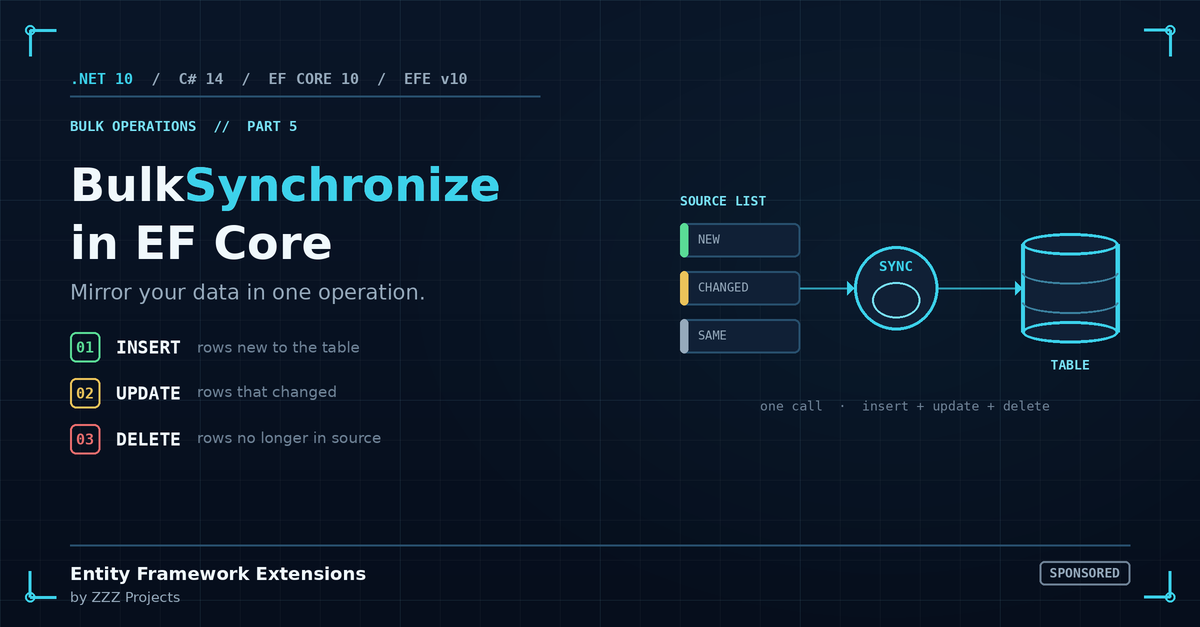
BulkSynchronize takes a source list and reconciles a database table to match it. The mental model is simple, and it is the only thing you need to lock in before reading further:
- A row is in the source list and not in the target table: INSERT
- A row is in the source list and in the target table: UPDATE (if values differ)
- A row is in the target table and not in the source list: DELETE
That third bullet is what makes the method powerful, and it is the part to configure deliberately. The source list is the desired state. Anything in scope but missing from the source list gets removed, which is precisely what “mirror my data” means. The next section shows how to define “in scope” so the delete does exactly what you intend.
Here is the simplest possible usage:
await context.BulkSynchronizeAsync(incomingProducts);
That one call replaces the diff-and-apply method shown above. It runs immediately. No SaveChanges() needed. Rows are inserted, updated, and deleted before control returns, and all three happen inside a single transaction, so the table is never left half-synced. EFE also adds a quiet safety net here: an empty source list will not trigger a sync, which guards against accidentally clearing a table when an upstream feed returns nothing.
Under the covers, EFE writes the source list into a temporary staging table using the provider’s bulk copy mechanism (BCP on SQL Server, COPY on PostgreSQL, and so on). A server-side MERGE statement then reconciles staging against the target. Three operations, one server-side burst, zero source rows materialized in .NET memory. The diff happens inside the database, not inside your application.
That last sentence is where the performance argument lives. The hand-rolled approach loads existing rows into the change tracker so it can diff against them. BulkSynchronize never loads them at all. At 10K rows, the difference is annoying. At 500K, it is the difference between a job that runs in a few seconds and a job that runs out of memory.
Scoping the Delete: The Option Worth Knowing
If you take exactly one thing away from this post, take this: most production BulkSynchronize calls want ColumnSynchronizeDeleteKeySubsetExpression.
With no scoping configured, BulkSynchronize treats the entire target table as the sync scope, which is exactly right when the table genuinely should mirror the source (a small reference table, for instance). When the table holds rows from several sources, and you only mean to sync one slice, the subset expression tells EFE where the sync begins and ends.
Here is the canonical case. You sync one supplier’s product catalog into a shared Products table:
await context.BulkSynchronizeAsync(supplierProducts, options =>
{
    options.ColumnPrimaryKeyExpression = p => p.Sku;
    options.ColumnSynchronizeDeleteKeySubsetExpression =
        p => new { p.SupplierId };
});
The ColumnPrimaryKeyExpression tells EFE how to match rows in the source against rows in the target. The ColumnSynchronizeDeleteKeySubsetExpression tells EFE which rows in the target are in scope for the operation. With that expression set, only rows belonging to the supplier(s) represented in the source list are reconciled. Other suppliers’ products in the same table are left untouched.
The generated SQL on SQL Server looks roughly like this:
MERGE INTO [Products] AS target
USING #StagingProducts AS source
    ON target.[Sku] = source.[Sku]
WHEN MATCHED THEN UPDATE SET ...
WHEN NOT MATCHED BY TARGET THEN INSERT (...) VALUES (...)
WHEN NOT MATCHED BY SOURCE
    AND target.[SupplierId] IN
        (SELECT DISTINCT [SupplierId] FROM #StagingProducts)
    THEN DELETE;
That AND clause on the DELETE branch is what scopes the operation. Without it, the delete branch considers every row in [Products], so any product not present in your supplier list becomes a candidate for removal. That is the correct behavior for a full mirror and the wrong behavior for a per-supplier sync. The subset expression is how you choose between the two.
The habit that keeps this safe is simple. During development, attach the Log option, run the sync against a copy of production data, and read the WHEN NOT MATCHED BY SOURCE clause once. When it matches your intent, you are done, and you never have to think about it again.
Four Scenarios Where BulkSynchronize Earns Its Place
1. Syncing a Local Cache from a Remote API
A nightly job pulls a supplier’s product catalog from their REST API and updates a local table that drives a storefront. The supplier list is authoritative. New products appear, prices change, and discontinued products vanish.
var supplierProducts = await _supplierApi.GetCatalogAsync(supplierId);

var entities = supplierProducts.Select(dto => new Product
{
    Sku = dto.Sku,
    SupplierId = supplierId,
    Name = dto.Name,
    Price = dto.Price,
    Stock = dto.Stock,
    UpdatedAt = DateTime.UtcNow
}).ToList();

await context.BulkSynchronizeAsync(entities, options =>
{
    options.ColumnPrimaryKeyExpression = p => p.Sku;
    options.ColumnSynchronizeDeleteKeySubsetExpression =
        p => new { p.SupplierId };
});
New listings get inserted. Price and stock changes get applied. Products that the supplier dropped from their catalog get removed. One call. Other suppliers’ data stays put.
2. Refreshing a Reporting Table
A DailyMetrics table holds pre-aggregated data computed from transactional sources. The aggregation runs nightly and should fully replace the data for the dates it covers without disturbing earlier reports.
var freshMetrics = await ComputeMetricsAsync(reportDate);

await context.BulkSynchronizeAsync(freshMetrics, options =>
{
    options.ColumnPrimaryKeyExpression =
        m => new { m.ReportDate, m.MetricKey };
    options.ColumnSynchronizeDeleteKeySubsetExpression =
        m => new { m.ReportDate };
});
Only rows for the dates present in the source list get reconciled. Historical metrics for earlier dates are out of scope and stay where they are.
3. Mirroring Reference Data
A Currencies table holds reference data pulled from a central registry. The list is small. The entire table should match the registry contents.
var registryCurrencies = await _registry.GetAllCurrenciesAsync();

await context.BulkSynchronizeAsync(registryCurrencies, options =>
{
    options.ColumnPrimaryKeyExpression = c => c.IsoCode;
});
No ColumnSynchronizeDeleteKeySubsetExpression here, because the entire table IS the scope. This is the textbook case for a full mirror. Add a short code comment so the next reader knows the unscoped behavior is intentional.
4. Per-Tenant Sync in a Multi-Tenant Application
A SaaS application receives a tenant’s data export and needs to reconcile it against that tenant’s slice of a shared table.
await context.BulkSynchronizeAsync(tenantRecords, options =>
{
    options.ColumnPrimaryKeyExpression = r => r.ExternalId;
    options.ColumnSynchronizeDeleteKeySubsetExpression =
        r => new { r.TenantId };
});
This is the most common production scenario for BulkSynchronize. The scoping expression on TenantId is what keeps each tenant’s sync confined to that tenant’s rows, which is exactly the isolation a multi-tenant system needs.
The Options You Will Actually Use
EFE ships hundreds of well-tested options across its bulk methods. For BulkSynchronize, the handful below covers nearly everything real projects reach for:
ColumnPrimaryKeyExpression sets the key used to match source rows against target rows. Defaults to the configured EF primary key. Override when matching on a business key (SKU, ExternalId, IsoCode) rather than the database identity.
ColumnSynchronizeDeleteKeySubsetExpression scopes the operation to a subset of the table. Covered in detail above. This is the one to set deliberately whenever the table holds more than the slice you mean to sync.
OnSynchronizeInsertInputExpression and OnSynchronizeUpdateInputExpression choose which columns the insert phase and the update phase write, respectively. Use them when the source list is a partial projection (price and stock only, say) and you do not want EFE touching columns you did not load.
IgnoreOnSynchronizeInsertExpression and IgnoreOnSynchronizeUpdateNames are the inverse: name the columns to leave out of the insert and update phases, and EFE writes everything else. Handy when audit columns (CreatedAt, ModifiedBy) are managed by triggers or by application code, and the bulk operation should not overwrite them.
SynchronizeSoftDeleteFormula turns the delete branch into a soft delete. Instead of physically removing rows that fall out of the source list, EFE runs the SQL you supply, for example, setting IsDeleted = 1. This is the right tool when business rules say archive rather than erase.
UseAudit captures a full before-and-after history of every row the sync inserts, updates, or deletes into a list you provide. Off by default because it costs extra SQL, but it is the clean answer when a sync needs a compliance trail. Pair it with UseRowsAffected to read back exactly how many rows were inserted, updated, and deleted from ResultInfo after the call returns.
BatchSize and BatchTimeout control chunking and per-batch timeout. Worth tuning on very large syncs (one million rows and up) and on busy production databases where holding a long-running transaction is undesirable.
Log attaches a delegate that captures the generated SQL. Use it during development to confirm the scoping expression compiled to what you expect, then turn it off in production unless you want the audit trail.
The Numbers
The benchmark project that accompanies this post uses BenchmarkDotNet 0.14 on .NET 10 against SQL Server. The hand-rolled diff-and-apply pattern and BulkSynchronize are compared on a Products table with twelve properties, including string columns, decimal pricing, datetime audit fields, and a TenantId column for scoping. Measurements are mean execution time across five iterations after two warm-up rounds. Memory figures come from BenchmarkDotNet’s MemoryDiagnoser. For reference, EFE publishes figures of up to 14 times faster inserts and roughly 93 percent less save time versus SaveChanges(), and the suite below is meant to confirm that pattern in your own environment.
Mixed sync (50% insert, 30% update, 20% implicit delete)
| Source List | Hand-rolled diff-and-apply | BulkSynchronize (EFE) |
| 1K rows | 131.7 ms | 121.6 ms |
| 10K rows | 618.7 ms | 286.4 ms |
| 50K rows | 2,990.9 ms | 1,382.9 ms |
| 100K rows | 5,979.4 ms | 2,733.8 ms |
| 500K rows | 35,699.2 ms | 19,156.6 ms |
Steady-state sync (90% no-op, 10% update)
A more realistic recurring-sync profile where most rows in the source list are unchanged. This is what nightly sync jobs typically look like after the initial seed.
| Source List | Hand-rolled diff-and-apply | BulkSynchronize (EFE) |
| 10K rows | 227.8 ms | 148.3 ms |
| 50K rows | 1,037.2 ms | 294.1 ms |
| 100K rows | 2,304.1 ms | 510.6 ms |
When to Reach For BulkSynchronize and When Not To
Not every sync problem is a BulkSynchronize problem. The honest guide:
Reach for BulkSynchronize when the source list represents the desired state for a clearly bounded slice of a table, the slice can be expressed as a key subset (TenantId, SupplierId, ReportDate), and the row count is high enough that the memory and performance argument is meaningful. The four scenarios above all fit this pattern.
Reach for unscoped BulkSynchronize when the entire table is the scope and the table is small. Currencies, Countries, ProductCategories, status codes. The full-mirror case is common and exactly what the default does.
Reach for the hand-rolled diff-and-apply pattern when row counts are small (a few hundred or fewer), runs are infrequent, and per-row business logic is complex enough that you genuinely need imperative control over each transition. These cases exist, and BulkSynchronize is not trying to replace them.
Reach for TRUNCATE plus BulkInsertOptimized when you can fully replace a table, there are no FK constraints to worry about, and you do not care about preserving identity values. This nuke-and-pave pattern can be faster than BulkSynchronize when the constraints allow it, because there is no diff to compute.
Skip EFE entirely when you cannot add a paid dependency. The hand-rolled diff-and-apply pattern still works. Combine it with AddRange and ExecuteDelete to claw back some of the lost performance.
Production Notes Worth Knowing
A short list of behaviors to plan for, ranked by how often they surprise teams the first time.
Scope the Delete the Way You Mean It
BulkSynchronize removes rows that fall in scope but out of the source list. ColumnSynchronizeDeleteKeySubsetExpression defines that scope; without it, the scope is the whole table. Set it deliberately, log the SQL once, read the WHEN NOT MATCHED BY SOURCE clause, and the behavior is yours to trust. If business rules prefer archiving over removal, SynchronizeSoftDeleteFormula converts the delete branch into a soft delete.
The Operation Is Atomic; The Broader Workflow Is Yours
BulkSynchronize runs its insert, update, and delete inside a single transaction, so the table is never left partly synced if one phase fails. The call also commits immediately rather than deferring to SaveChanges(). When a sync is one step in a larger unit of work, open an explicit transaction with context.Database.BeginTransactionAsync(), pass it through, and commit once every step succeeds, so an unrelated later failure rolls the sync back too.
Foreign Key Constraints Still Apply
Rows that BulkSynchronize removes are subject to database-level FK rules. If child tables reference rows the sync wants to remove, the operation fails or cascade-deletes, based on how your FKs are configured. For parent tables referenced elsewhere, either set explicit cascade behavior or sync the dependents first.
The Change Tracker Goes Stale
Any entities loaded in the current DbContext before BulkSynchronize ran are now stale. The database has moved. The tracker has not. Call context.ChangeTracker.Clear() or refresh affected entities before continuing to work with the context.
Interceptors Do Not Fire; Use the Built-in Audit
Because BulkSynchronize bypasses the change tracker, ISaveChangesInterceptor implementations and SaveChanges()-based domain events do not run. EFE covers the common reason teams rely on those hooks with its UseAudit option, which records every inserted, updated, and deleted row. For domain events, raise them explicitly after the sync, or move that logic to the database layer.
Provider Behavior Varies
BulkSynchronize works across SQL Server, Azure SQL, PostgreSQL, SQLite, MySQL, MariaDB, and Oracle. The underlying mechanism differs by provider. SQLite has no native bulk copy protocol, so EFE falls back to batched INSERT for staging, and the gain over the hand-rolled approach is smaller there than on SQL Server. Benchmark on your target provider.
Identity Values Come Back by Default
EFE writes database-generated identity values back to your in-memory entities after the sync, using a temp-table intermediate step. When you do not need the returned identities, set AutoMapOutputDirection to false for a faster path that skips that round trip.
Is It Worth the License?
BulkSynchronize is part of Entity Framework Extensions, a paid library from ZZZ Projects, maintained continuously since 2014 across every major EF Core release. A rolling monthly free trial is available at entityframework-extensions.net for evaluation. The license decision is honest, and context decides.
If your team runs scheduled sync jobs against external sources, refreshes reporting tables, or maintains per-tenant data in a multi-tenant application, BulkSynchronize is one of the EFE features that fill a genuine gap in native EF Core, alongside InsertFromQuery and BulkMerge. The combination of “there is no native equivalent” and “the hand-rolled version is tedious and slow” makes the licensing math clear at production volumes.
If your team syncs a couple of small reference tables once a month, the hand-rolled pattern is acceptable, and the license cost is harder to justify on this feature alone.
If your codebase already depends on EFE for BulkInsert, BulkMerge, or InsertFromQuery, BulkSynchronize is a free incremental win. Use it.
Closing
BulkSynchronize collapses a category of code that almost every .NET team has written, debugged, and grown to dislike. Insert, update, and delete in a single server-side operation, wrapped in one transaction, with an empty-list guard and soft-delete support built in. It removes a real maintenance tax and a real source of subtle bugs.
It is also the one bulk method that rewards a moment of deliberate configuration. Set ColumnSynchronizeDeleteKeySubsetExpression to match the slice you mean to sync, log the SQL once to confirm the scope, and put a test around it. Do that, and BulkSynchronize earns its place as the clean answer to a problem EF Core has never solved natively.
Related Posts