5 EF Core Performance Anti-Patterns That Entity Framework Extensions Eliminates
- Chris Woodruff
- July 1, 2026
- Entity Framework Core
- .NET, C#, Data, databases, dotnet, Entity Framework Core, programming
- 0 Comments

The Code You Already Wrote
Every .NET team has at least one of these in production. It looked fine in review. It passed unit tests. It worked in staging against the seed data. Then real traffic hit, and now somebody is on call at three in the morning trying to work out why the nightly job has been running for six hours.
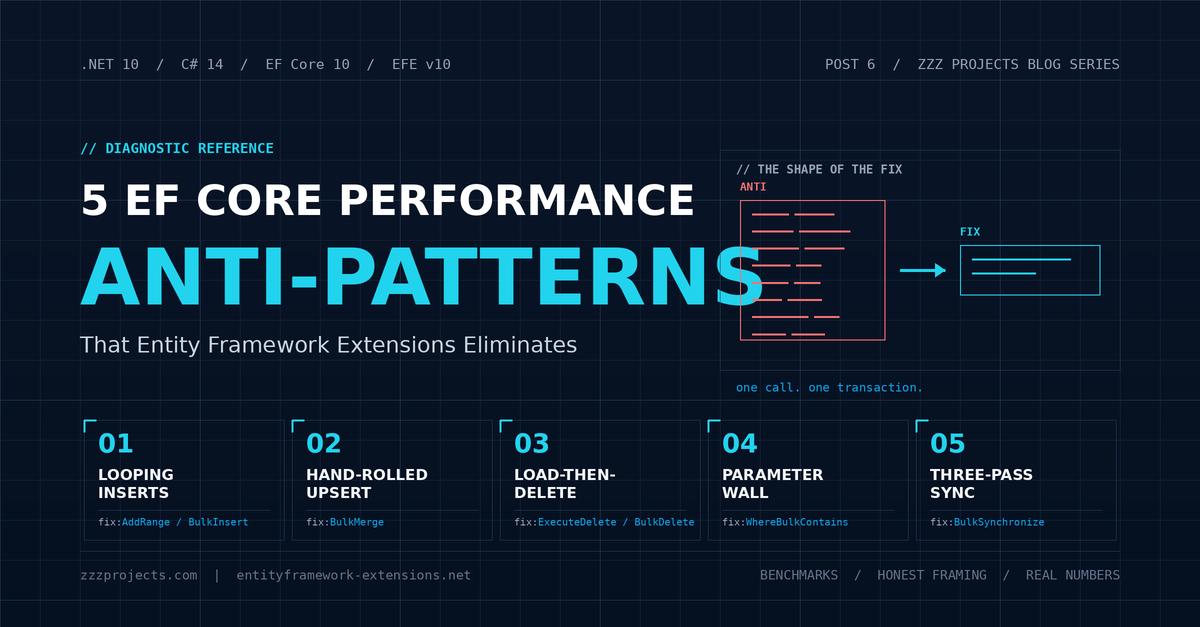
The five patterns below are the most common EF Core code smells that look harmless in code review and turn poisonous at scale. Each section answers four questions in the same order. What does the bad code look like? Why is it slow? What does EF Core 10 do about it natively? And what does Entity Framework Extensions add that the platform still does not ship?
EF Core 10 closed real gaps in this space. ExecuteUpdate and ExecuteDelete handle work that used to require third-party help. AddRange paired with SaveChanges is the right default for most inserts. This post will say so directly, because pretending otherwise insults the reader.
But three of the five patterns below still have no clean native answer in EF Core 10. For those, Entity Framework Extensions earns its license fee. Read on and find out which ones.
Anti-Pattern 1: The Loop That Saves Every Row
The Code
You have a list of customers to insert. You write the loop.
foreach (var customer in incomingCustomers)
{
    context.Customers.Add(customer);
    await context.SaveChangesAsync();
}
If you have used EF Core for more than a year, you already know this is wrong. The slightly more sophisticated version moves SaveChanges outside the loop:
foreach (var customer in incomingCustomers)
{
    context.Customers.Add(customer);
}

await context.SaveChangesAsync();
This one passes code review. It still scales badly.
Why It Hurts
The first version runs one INSERT and one round trip per customer. Ten thousand customers, ten thousand sequential database calls, each waiting for the previous one to come back before sending the next. The bottleneck is network latency, not database throughput. It does not matter how fast your server is. You cannot outrun the speed of light over a TCP socket.
The second version is better but not great. EF Core calls DetectChanges every time you call Add. The cost of DetectChanges grows with the number of tracked entities already in the context. At ten thousand entities, you are paying quadratic tracking cost before a single byte hits the wire.
Both versions hold every entity in memory until SaveChanges completes. At a hundred thousand rows of a non-trivial entity, that is real heap pressure. Your application has to allocate, track, and eventually collect every one of those objects.
What EF Core 10 Does About It
The right native answer is AddRange paired with SaveChanges:
await context.Customers.AddRangeAsync(incomingCustomers);

await context.SaveChangesAsync();
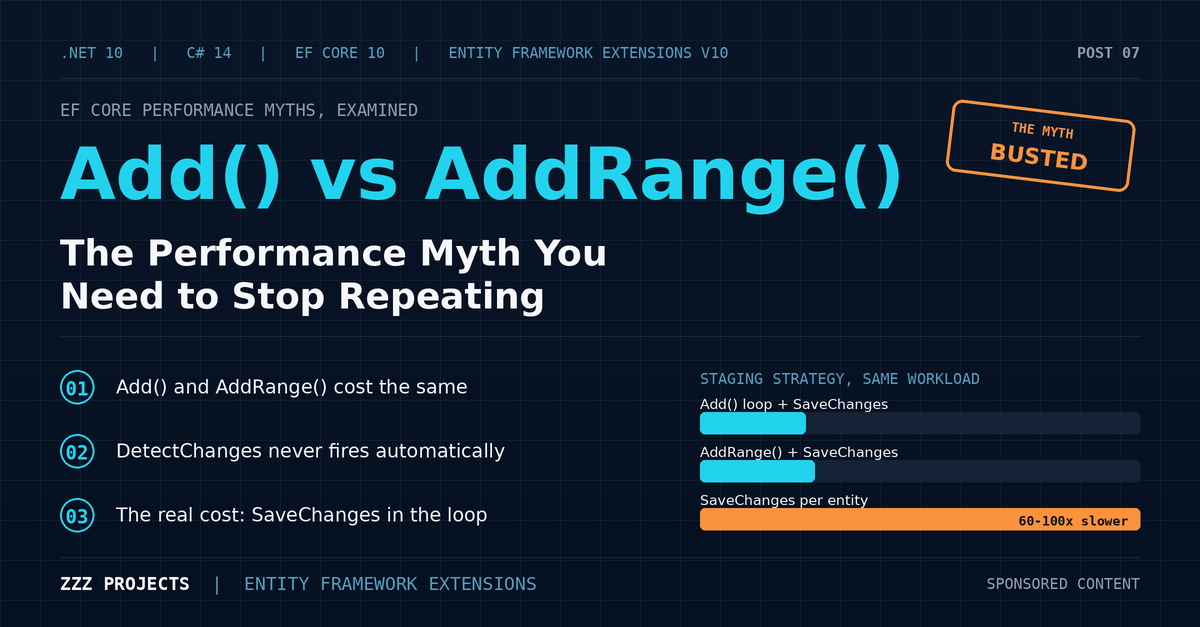
DetectChanges fires once at save time. EF Core 10 emits batched multi-row INSERT statements (default MaxBatchSize is 1,000 on SQL Server). Database-generated identity values flow back into your tracked entities. For most applications, inserting fewer than ten thousand flat entities at a time, this is enough. No third-party library required. Stop here.
Where EFE Earns Its Place
Past ten thousand rows of a wide entity, or with parent-child graphs, AddRange starts to lose ground. Entity Framework Extensions ships BulkInsert and BulkInsertOptimized, both of which wrap provider-native bulk copy (SqlBulkCopy on SQL Server, COPY on PostgreSQL) behind an API that respects your EF Core model:
await context.BulkInsertAsync(incomingCustomers);
BulkInsertOptimized skips the temporary table that BulkInsert uses to map identity values back to tracked entities. That makes it close to raw SqlBulkCopy in speed while keeping value converters, owned types, and inheritance mappings intact. For graphs of orders with line items, BulkInsert paired with IncludeGraph traverses navigation properties and wires foreign keys automatically. No two-pass insert. No manual ID propagation. One call.
Benchmark Snapshot
Ten-property Customer entity, SQL Server:
| Rows | Foreach + SaveChanges | AddRange + SaveChanges | BulkInsertOptimized |
| 1,000 | 1,744.76 ms | 108.34 ms | 21.67 ms |
| 10,000 | 33,186.88 ms | 564.63 ms | 76.26 ms |
| 100,000 | Could not execute | 6,661.80 ms | 578.86 ms |
Anti-Pattern 2: The Hand-Rolled Upsert
The Code
Your import process needs to insert new products and update existing ones, matching on SKU rather than database identity. You write what feels obvious:
foreach (var item in incomingItems)
{
    var existing = await context.Products
        .FirstOrDefaultAsync(p => p.Sku == item.Sku);

    if (existing == null)
        context.Products.Add(item);
    else
    {
        existing.Name = item.Name;
        existing.Price = item.Price;
    }
}

await context.SaveChangesAsync();
It reads like English. It also performs worse than almost anything else in this post.
Why It Hurts
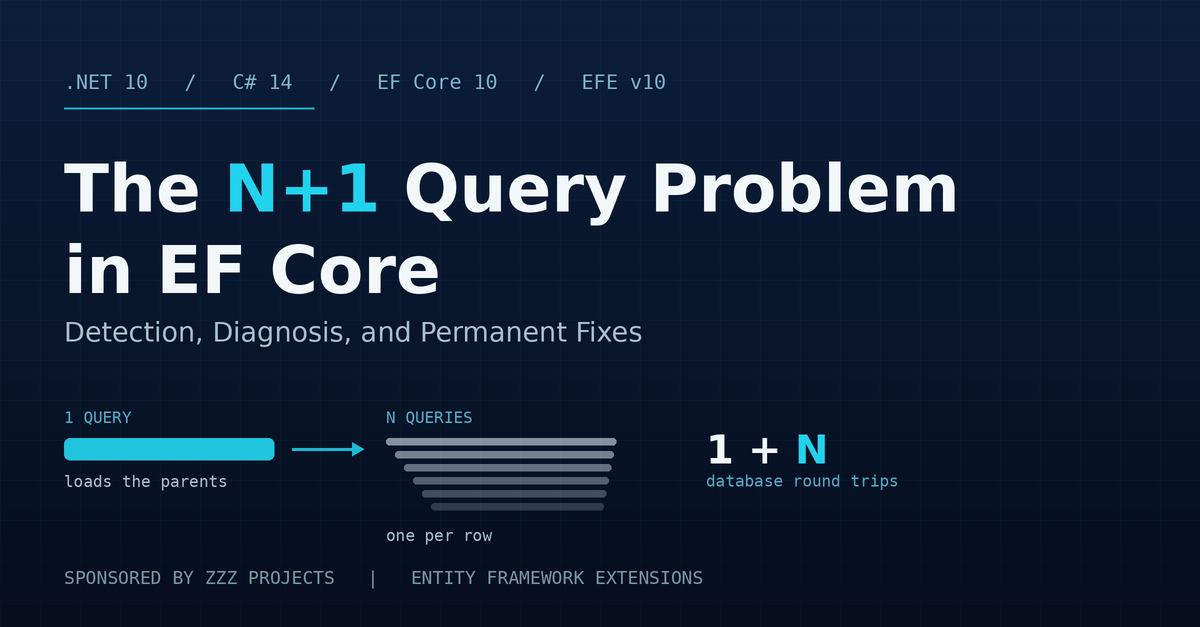
This is N+1 in its purest form. Ten thousand incoming items, ten thousand SELECT queries before any write happens. Every match loads a full entity. One column might be the only thing that changes; the whole row gets hydrated and tracked regardless. The change tracker fills up with all the matched rows. SaveChanges then sends a flurry of UPDATE statements (good, those batch) and INSERTs for the new ones (also batched). The write side is fine. The read side has already burned through your wall clock.
If somebody slipped SaveChanges inside the loop instead of outside it, you also get fully serialized writes on top of the N+1 reads. That version exists in real codebases, too. Plenty of them.
What EF Core 10 Does About It
Nothing native, and that is the point. EF Core 10 has no upsert primitive. ExecuteUpdate applies the same transformation to every matching row; it cannot make per-row insert-or-update decisions. The workarounds are unsatisfying:
- Pre-fetch existing keys with a chunked Contains query, partition the incoming list into inserts and updates by hand, then run two separate operations. Tedious and easy to get wrong at chunk boundaries.
- Drop down to a raw SQL MERGE statement, which differs between SQL Server and PostgreSQL and loses your EF Core model integration entirely.
- Stage the incoming data in a temp table and merge server-side. Real boilerplate, real schema coupling, real maintenance debt.
All three work. None feel like EF Core. All three are work the database should have been doing for you.
Where EFE Earns Its Place
BulkMerge collapses the whole pattern into one call:
await context.BulkMergeAsync(incomingItems, options =>
{
    options.ColumnPrimaryKeyExpression = p => p.Sku;
});
One operation. One transaction by default. Custom key matching, so you can sync on business identifiers (SKU, email, external reference) rather than database identity. Conditional column control through OnMergeInsertInputExpression and OnMergeUpdateInputExpression, so you can write CreatedAt only on insert and ModifiedAt only on update. IncludeGraph extends the operation to parent-child shapes when your incoming data is hierarchical.
This is the single clearest case in the post where EFE has no native competitor. EF Core 10 simply does not offer an upsert primitive. Everything else is a workaround pretending to be one.
Benchmark Snapshot
Ten thousand incoming products, 50% existing in the database, 50% new:
| Approach | Time | Round trips |
| Hand-crafted FirstOrDefault + SaveChanges | 6,344.3 ms | 10,000 + batched writes |
| BulkMerge | 336.5 ms | 1 |
Anti-Pattern 3: Load A Million Rows Just To Delete Them
The Code
You need to purge expired sessions every night. The code writes itself:
var expired = await context.Sessions
    .Where(s => s.ExpiresAt < DateTime.UtcNow)
    .ToListAsync();

context.Sessions.RemoveRange(expired);

await context.SaveChangesAsync();
Why It Hurts
ToListAsync materializes every matching row as a full entity. The change tracker allocates an object per row. At 500,000 expired sessions, you are loading gigabytes of data into managed memory before issuing any DELETE statement. SaveChanges then emits batched DELETEs (good), but the SELECT phase has already eaten the clock and the heap.
The change tracker also does work that you do not need. Every loaded entity is marked Deleted, every relationship is fixed up, and every cascade rule is computed in memory. All of that runs before the first row leaves the database. You are doing the database’s job in your application process, and you are doing it badly.
What EF Core 10 Does About It
This is the anti-pattern where EF Core 10 wins outright. ExecuteDeleteAsync, available since EF Core 7 and refined in 10, is the correct answer:
await context.Sessions
    .Where(s => s.ExpiresAt < DateTime.UtcNow)
    .ExecuteDeleteAsync();
Zero entities loaded. One DELETE statement. One round trip. No third-party library required.
Cross-reference Post 1 in this series for the full treatment of ExecuteDelete and ExecuteUpdate.
Where EFE Earns Its Place
The set-based case is solved by ExecuteDelete. EFE steps in when you have a List of specific entities to delete that does not reduce to a clean predicate. Picture a UI grid where a user has selected forty rows by hand:
await context.BulkDeleteAsync(selectedItems);
BulkDelete takes a List, generates a server-side delete using those specific keys, and avoids the per-entity tracking work entirely. ExecuteDelete cannot express this without first translating those forty specific rows back into a predicate that you would have to build by hand.
DeleteFromQuery is the third option, useful primarily for codebases targeting EF Core 6 or earlier where ExecuteDelete is not yet available, or for projects that already use EFE elsewhere and want one API style across the data layer.
Be honest about this anti-pattern: for the standard predicate-based delete, the native answer is fine. EFE is the right tool only when the deletion is list-based. Reach for the native method first.
Benchmark Snapshot
100,000 expired session rows:
| Approach | Time | Peak managed memory |
| ToList + RemoveRange + SaveChanges | 3,316.8 ms | 687 MB |
| ExecuteDelete (native) | 1,230.5 ms | 144 KB |
| BulkDelete (100K-item list) | 1,273.8 ms | 22 MB |
Anti-Pattern 4: The 2,100 Parameter Wall
The Code
You have a list of IDs from another system. You want the matching customer rows.
var ids = sourceList.Select(s => s.Id).ToList(); // 5,000 IDs

var matched = await context.Customers
    .Where(c => ids.Contains(c.Id))
    .ToListAsync();
This code passes review. It works in development with a sample list of fifty IDs. It throws SqlException in production the first time someone hands it more than two thousand.
Why It Hurts
EF Core translates Contains against an in-memory list into a SQL IN clause with one parameter per value. SQL Server caps a single query at 2,100 parameters. Cross that line, and you get a SqlException with the message “The incoming request has too many parameters.”
It gets worse below the hard cap. Query plan compilation cost rises with parameter count. At a few hundred IDs, plans become expensive to compile and cache poorly, which means your query optimizer is doing the same expensive work over and over because each new ID list produces a different plan signature.
EF Core 8 and 9 introduced array-pass strategies that improve the situation on some providers (PostgreSQL in particular), but on SQL Server, the 2,100-parameter ceiling is a fundamental constraint of the wire protocol. EF Core 10 has not changed that.
What EF Core 10 Does About It
Not much. The workarounds:
- Chunk the ID list into batches under 2,000 and union the results in application code. Subtly wrong if results need to be ordered or paginated across chunks. Doubly subtle when you also need DISTINCT.
- Stage the IDs in a temp table via raw SQL, then JOIN against it through FromSqlInterpolated. Significant boilerplate; bypasses query composition.
- Use a table-valued parameter. Requires SQL Server-specific type registration and manual ADO.NET wiring.
All three work. None feel like EF Core.
Where EFE Earns Its Place
WhereBulkContains was built for this exact problem:
var matched = await context.Customers
    .WhereBulkContains(largeIdList)
    .ToListAsync();
It stages the in-memory list as a temp table or table-valued parameter behind the scenes, then joins server-side. The 2,100-parameter limit becomes irrelevant. The query plan stabilizes because the underlying SQL has a consistent shape regardless of list size.
The variants worth knowing:
- Composite-key version using anonymous types, for matching on multiple columns at once.
- WhereBulkContainsFilterList, which filters the in-memory list against the database (returning the subset that exists or does not exist server-side). Useful for “which of these IDs are new” questions.
- WhereBulkNotContains and WhereBulkNotContainsFilterList for inverse semantics.
This is one of the EFE features that pays for itself in the first production incident it prevents. The SqlException about parameter count is a Friday-afternoon outage waiting to happen, and every developer who has shipped this pattern eventually gets the call.
Benchmark Snapshot
Lookup of N IDs against a 1M-row Customers table:
| IDs | Standard Contains | WhereBulkContains |
| 500 | 16.83 ms (plan cost noticeable) | 19.62 ms |
| 2,000 | 84.79 ms (plan thrashing) | 29.74 ms |
| 5,000 | SqlException (parameter cap) | 53.91 ms |
| 50,000 | not possible | 291.64 ms |
Anti-Pattern 5: Three Passes Where One Would Do
The Code
You need to make a local Products table look like an incoming feed. You write three passes:
// 1. Find and delete rows that no longer exist in source
var sourceIds = incoming.Select(i => i.Id).ToList();

var toDelete = await context.Products
    .Where(p => !sourceIds.Contains(p.Id))   // also Anti-Pattern 4 at scale
    .ToListAsync();

context.Products.RemoveRange(toDelete);

// 2. Find and update existing rows
var existing = await context.Products
    .Where(p => sourceIds.Contains(p.Id))
    .ToListAsync();

foreach (var e in existing) { /* copy fields from incoming */ }

// 3. Find and insert new rows
var existingIds = existing.Select(e => e.Id).ToHashSet();

var toInsert = incoming.Where(i => !existingIds.Contains(i.Id));

context.Products.AddRange(toInsert);

await context.SaveChangesAsync();
This is real code. It exists in real codebases. It usually grew across two or three pull requests over six months, and now everyone on the team is afraid to refactor it. It is the function with no tests, three TODO comments, and a Slack thread of people quietly praying it keeps working through the next sprint.
Why It Hurts
Three separate logical passes, three sets of round-trips, three pieces of state to track. Two of those passes use Contains against a potentially huge source ID set, so Anti-Pattern 4 is baked in for free. The whole thing has no transactional atomicity by default, so if SaveChanges fails midway, your table is left half-synced, and your on-call engineer gets to figure out which rows are real.
Every matched row is loaded and tracked. One column might change; the whole row is hydrated regardless. The cognitive load is the part nobody puts in the performance bug report. This is the kind of code that grows, picks up edge cases, accumulates “while we are here” features, and becomes load-bearing infrastructure that nobody wants to touch. Slow and fragile, in that order.
What EF Core 10 Does About It
No native synchronization primitive exists. The cleanest composable version uses ExecuteDelete for the delete pass, ExecuteUpdate or tracked updates for the update pass, and AddRange for the inserts:
// Composed native version (still three operations, still needs a transaction)

await context.Products
    .Where(p => !sourceIds.Contains(p.Id))   // parameter limit risk again
    .ExecuteDeleteAsync();

// ... two more operations ...
This is better than the naive version, but it is still three round-trips, still needs an explicit transaction to be atomic, and still inherits the parameter-limit problem from Anti-Pattern 4. You are doing the work the database should do.
Where EFE Earns Its Place
BulkSynchronize handles the whole pattern in one operation:
await context.BulkSynchronizeAsync(incomingProducts, options =>
{
    options.ColumnPrimaryKeyExpression = p => p.Sku;
});
One call. One transaction. Inserts new rows, updates matched rows, deletes rows missing from the source set, all server-side, all atomic, no parameter-limit exposure. Custom key matching for syncing on business keys. Per-column input control for distinguishing what gets written on insert versus update. IgnoreOnSynchronizeMatchedAndConditionExpression and friends for skipping updates when only audit columns would change.
If you are running nightly imports, mirroring external feeds, or refreshing reporting tables, this is the call you have been writing by hand for years. Delete the three-pass code and never look at it again.
Benchmark Snapshot
50,000 incoming products against a 50,000-row Products table, mix of 60% unchanged, 20% updated, 10% new, 10% removed:
| Approach | Time | Round trips |
| Hand-rolled three-pass sync | 8,335.5 ms | 3 (plus parameter-limit risk) |
| Native ExecuteDelete + ExecuteUpdate + AddRange | 6,657.3 ms | 3 |
| BulkSynchronize | 221.2 ms | 1 |
Consolidated View
Across all five anti-patterns, the pattern is the same. The naive approach scales linearly with row count in both time and memory. Server-side approaches scale sub-linearly, with memory usage staying nearly constant regardless of how much data passes through.
| Anti-pattern | Naive approach | Native EF Core 10 | EFE method |
| 1. Looping inserts | foreach + SaveChanges | AddRange + SaveChanges (good to ~10K) | BulkInsert / BulkInsertOptimized |
| 2. Hand-rolled upsert | FirstOrDefault + add or update | no native equivalent | BulkMerge |
| 3. Load-then-delete | ToList + RemoveRange | ExecuteDelete (predicate-based) | BulkDelete (list-based) |
| 4. Parameter-limit Contains | .Contains against big list | no clean equivalent | WhereBulkContains |
| 5. Separate sync passes | three operations + manual diff | no native equivalent (compose 3 ops) | BulkSynchronize |
Three of the five patterns have no native EF Core 10 answer. That is the honest summary.
A Diagnostic Quick Reference
Bookmark this section. The first time you see one of these symptoms in production, the answer is one row away.
| If you see this symptom | Reach for this first | And this if it is not enough |
| Slow inserts, flat entities, under 10K rows | AddRange + SaveChanges | BulkInsertOptimized |
| Slow inserts with parent-child graphs | BulkInsert + IncludeGraph | (no good alternative without significant code) |
| Insert-if-not-exists or upsert logic | BulkMerge with ColumnPrimaryKeyExpression | (no native EF Core 10 equivalent) |
| Slow bulk deletes, predicate-based | ExecuteDelete (native) | DeleteFromQuery for API consistency |
| Slow bulk deletes, list-based | BulkDelete | (ExecuteDelete cannot express list-based) |
| SqlException about parameter count | WhereBulkContains | (no native EF Core 10 equivalent) |
| Full-table sync from external source | BulkSynchronize | (no native EF Core 10 equivalent) |
Footguns That Apply Across All Five Patterns
A few production considerations that bite developers regardless of which EFE method they reach for. Read them once now, save yourself a postmortem later.
Change Tracker Staleness
After any server-side or bulk operation, entities already loaded into the current DbContext may not reflect the database. Reload them or clear the tracker:
await context.Products.ExecuteDeleteAsync(...);

context.ChangeTracker.Clear();
Transaction Hygiene
Bulk operations execute immediately, not on SaveChanges. If you mix them with tracked changes in the same unit of work, wrap everything in an explicit transaction:
await using var tx = await context.Database.BeginTransactionAsync();

await context.BulkMergeAsync(items);

await context.SaveChangesAsync();

await tx.CommitAsync();
Interceptors Do Not Fire
EF Core’s ISaveChangesInterceptor is bypassed by ExecuteUpdate, ExecuteDelete, and every EFE bulk method. If audit logging or domain events live in interceptors, you need another hook (database triggers, application-level pre/post wrappers). Audit your interceptors before you adopt bulk operations, not after.
Lazy Loading and IncludeGraph
With lazy loading enabled, BulkInsert paired with IncludeGraph will trigger loading on every navigation property the graph walker touches. Turn lazy loading off before bulk graph operations, or use explicit eager loading on a fresh query.
EFE Is Paid
Z.EntityFramework.Extensions.EFCore is a commercial library with a perpetual license model and a rolling free trial. Saying so directly costs nothing and earns credibility with the reader. The pricing page is at entityframework-extensions.net/pricing.
Where to Go From Here
The pattern across the five anti-patterns is simple. EF Core 10 handles two of them well (looping inserts and predicate-based deletes). For the other three (upsert, parameter-limit lookups, and full-table sync), the platform still has no native answer, and the choice is between hand-crafted boilerplate, raw SQL, or Entity Framework Extensions.
Pattern recognition is the actual skill here. Once a developer can name the smell, picking the right tool is the easy part. The hard part is admitting the bad code is in your codebase right now.
Sponsored content in partnership with ZZZ Projects.
Related Posts